
Block
Blast
Reallocating Voyager 1's Fragmented Memory Map
Discover how NASA engineers leveraged 1970s hardware constraints, analyzed primitive memory maps, and executed a remote software reallocating workaround to rescue humanity's most distant emissary.
What is Voyager 1?
OBJECT DESIGNATION: VOYAGER 1 · NASA/JPL · LAUNCHED 1977.09.05
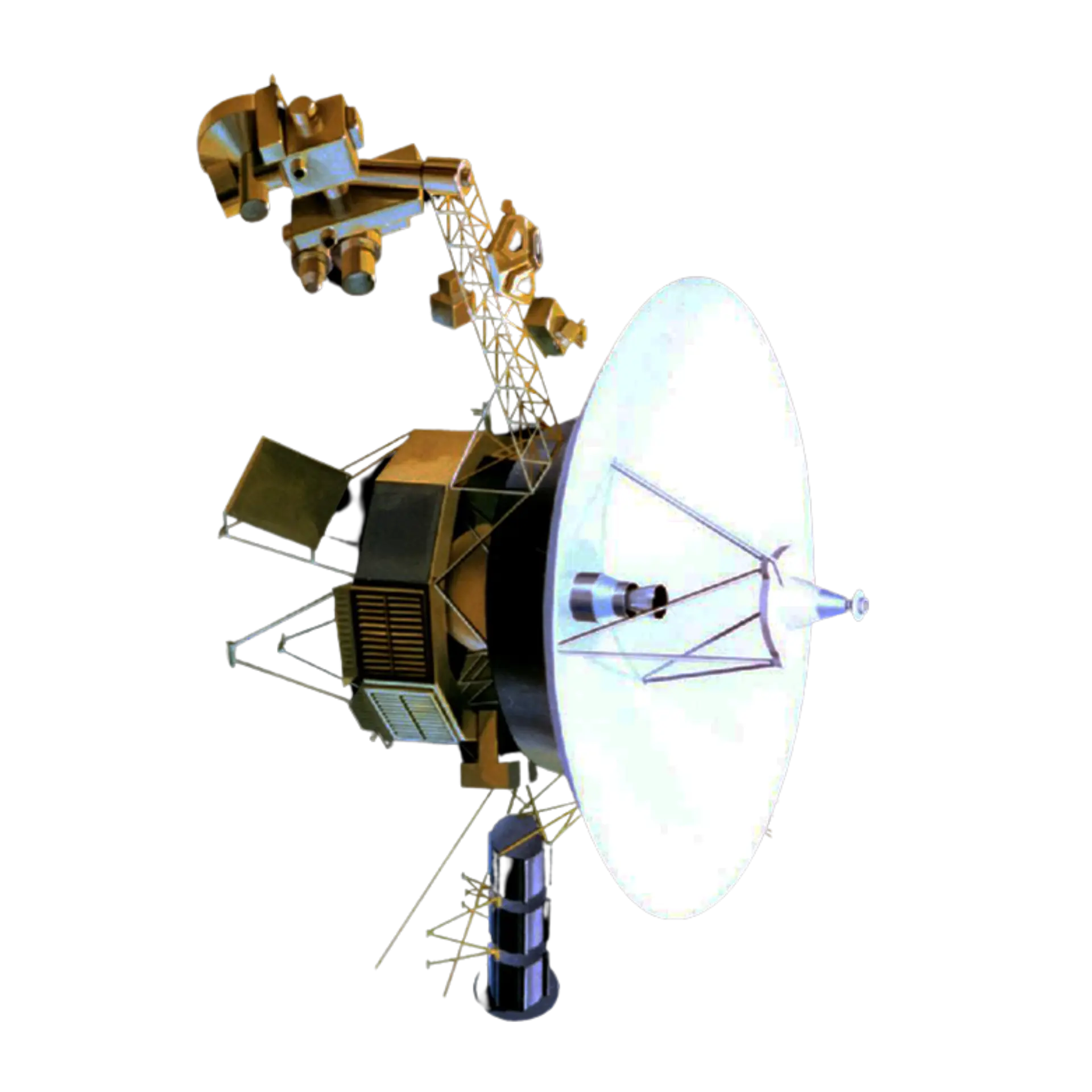
On September 5, 1977, NASA launched Voyager 1, a robot space probe with the primary goal of studying the planets in our solar system.
After almost six decades of travel, Voyager 1 still remains the farthest human-made object ever to leave Earth.
Voyager 1 is the farthest human-made object ever to leave Earth—currently drifting through interstellar space at roughly 17 kilometers per second, placing it over 15 billion miles from the Sun.
In 2023,
Something Went Wrong...
The Voyager was sending gibberish data from outerspace!
What Goes On
Inside Voyager 1?
Understanding Computer Memory
Before we can diagnose what broke inside Voyager 1, we need to speak the same language as the engineers who fixed it. That language is the language of computer memory: how data, code, and instructions are defined, addressed, and accessed.
What is Computer Memory?
Computer memory serves as the system's active workspace, holding the instructions and data required for immediate operation. Unlike modern computers with vast storage, Voyager 1’s 1970s hardware relies on a tiny, fixed set of memory slots to handle every calculation.
Without this functional memory space, the spacecraft loses its operational instructions and data, effectively rendering it lifeless.
Memory Addressing
Processor read
ADDRESS
0x00
DATA
0x7F
Every piece of information in a computer is stored in a specific location called a memory address. Instead of searching blindly for what it needs, the computer goes directly to this address, just like going to the library and fetching a book from a specific shelf.
This acts as a catalogue for the processor to look for data and execute instructions.
Memory Mapping
While addressing assigns data to individual slots, memory mapping defines how those slots are grouped into dedicated regions for specific jobs. Memory mapping allows computers to allocate specific memory blocks for storing data and specific software instructions. These pieces of data are mapped to memory addresses; this is how the CPU knows where to find them.
The computer doesn't actually try to check if the code still works; it just runs whatever is sitting at that address.
Because the computer can't tell the difference between real and corrupted instructions, a broken memory chip is incredibly dangerous, as it will completely change how the entire system behaves.
Fault scan
CORRUPTED BLOCKS
00
STATUS
NOMINAL
But how does the computer actually know which memory address to read next?
The Instruction Pointer
Every computer has a memory slot called the Instruction Pointer (IP). Its only job is to point to the next instruction the computer needs to run. After the computer reads and does what the instruction says, the IP automatically moves to the very next line. Essentially, the order of instructions was:
- 1Read the instruction at line 100.
- 2Do what line 100 says.
- 3Move the bookmark to line 101.
- 4Repeat.
Now that we know about computer memory, mapping, addressing, and accessing, let’s go back to what went wrong in 2023…
Root Cause: A Dead Chip
After months of testing, engineers found the problem: A piece of the spacecraft’s memory got physically damaged and corrupted. But the IP didn’t know that. When the computer started reading instructions from the broken chip, the supposed instructions weren’t executing—causing the discrepancy in the message being sent back to Earth.
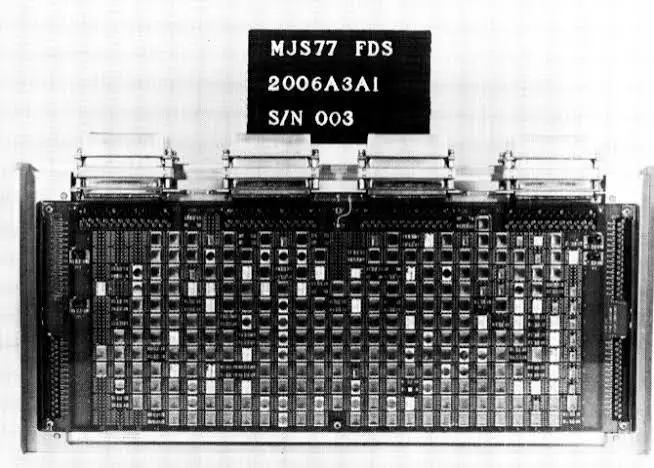
This specific chip is the Flight Data Subsystem (FDS) which holds the code that packages up all of Voyager 1’s science data and prepares it to be sent back to Earth.
When the computer started reading data from the broken chip, the supposed instructions weren't executed—causing the discrepancy in the message being sent back to Earth.
The Mechanism That Stitched Voyager 1 Back Together
It’s impossible to send a mechanic 15 billion miles into deep space to swap out a broken part. The only option was a remote software repair. Since signals coming from Earth to the spacecraft take a long time to travel back and forth, the code had to work on the first try as trial and error would be too time-consuming.
Since there wasn't a contiguous memory space large enough to hold the rescued code, the engineers had to get creative. They chopped the instructions into smaller fragments and carefully tucked them into unused memory blocks across the computer's remaining working memory.
To do that, they had to implement specific jump commands that explicitly told the computer where to find the next instruction. By mapping out every step, they made sure the system could run the split code and get it working again.
Let’s take a closer look at the concept behind NASA’s solution…
The Jump Instruction
A jump instruction (JMP) is a command that directly overwrites the Instruction Pointer with a new address. Instead of advancing sequentially to the next chunk of memory, the processor instantly redirects its execution focus to whatever address the JMP specifies.
It allows the processor to go back to or skip to another part of the system’s code.
This is the mechanism NASA engineers used to bridge fragmented code across non-contiguous memory regions.
Losing part of memory doesn't always mean losing the entire program. Sometimes, there's another solution.
NASA's Solution
Code Reallocated
Now it's your turn
to solve the problem!
With your newfound knowledge of computer architecture, it's your turn to fix the problem NASA faced. Step into the role of an engineer and reallocate the memory blocks below.
Voyager 1 continues its journey through interstellar space today. Its recovery was possible because engineers leveraged how computers are designed to process memory and execute instructions.
This repair proves that when hardware fails, knowledge prevails.

References
- Computer memory definition concepts retrieved from https://certifiedsystemsgroup.com/understanding-computer-memory/
- Memory address definitions and processor architecture retrieved from https://www.ituonline.com/tech-definitions/what-is-a-memory-address/
- Microprocessor memory structural operations retrieved from https://www.uobabylon.edu.iq/eprints/publication_3_22584_1575.pdf
- Memory mapping core definitions and OS tables retrieved from https://www.geeksforgeeks.org/operating-systems/memory-mapping/
- Virtual addressing and page allocation mechanics retrieved from https://questdb.com/glossary/memory-mapping/